Teya Salat


Click here to Download the full code

following are the Steps to connect to database to insert the Data in DataBase...


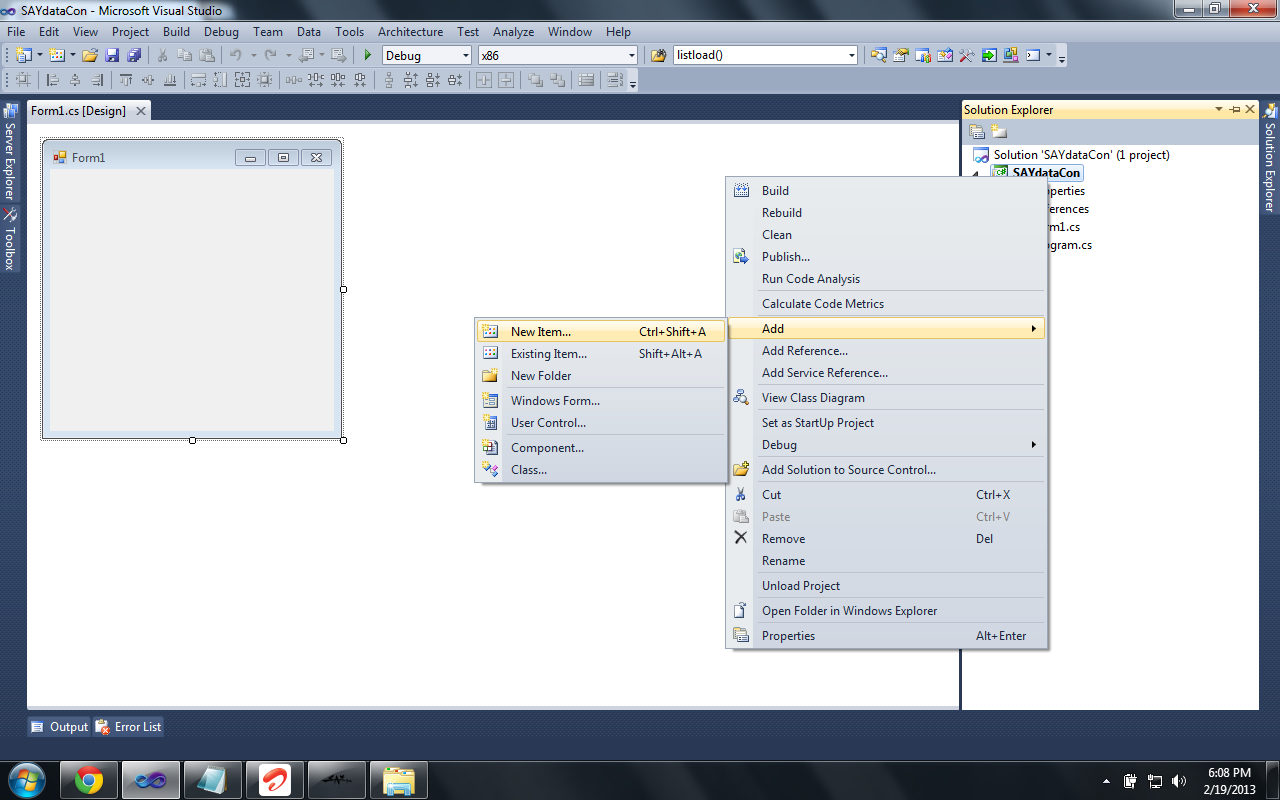
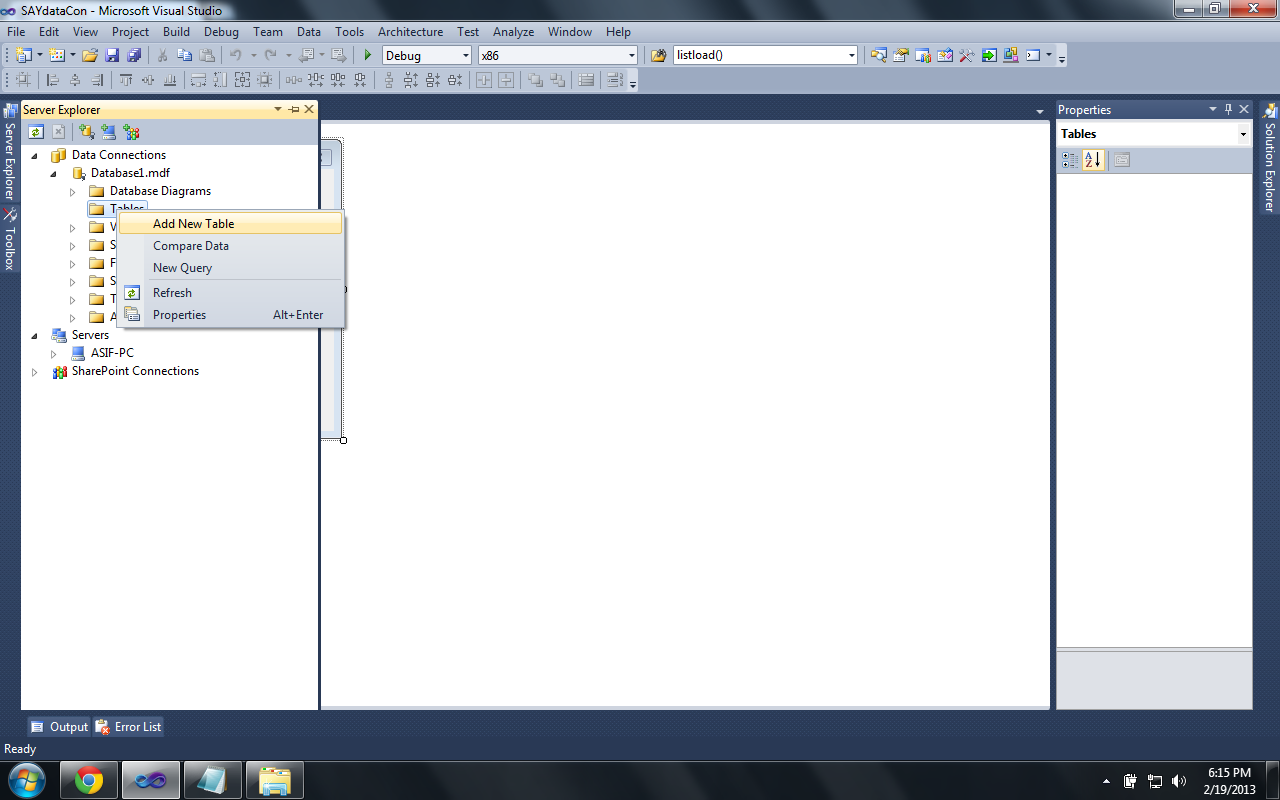
Step 1:


step 1

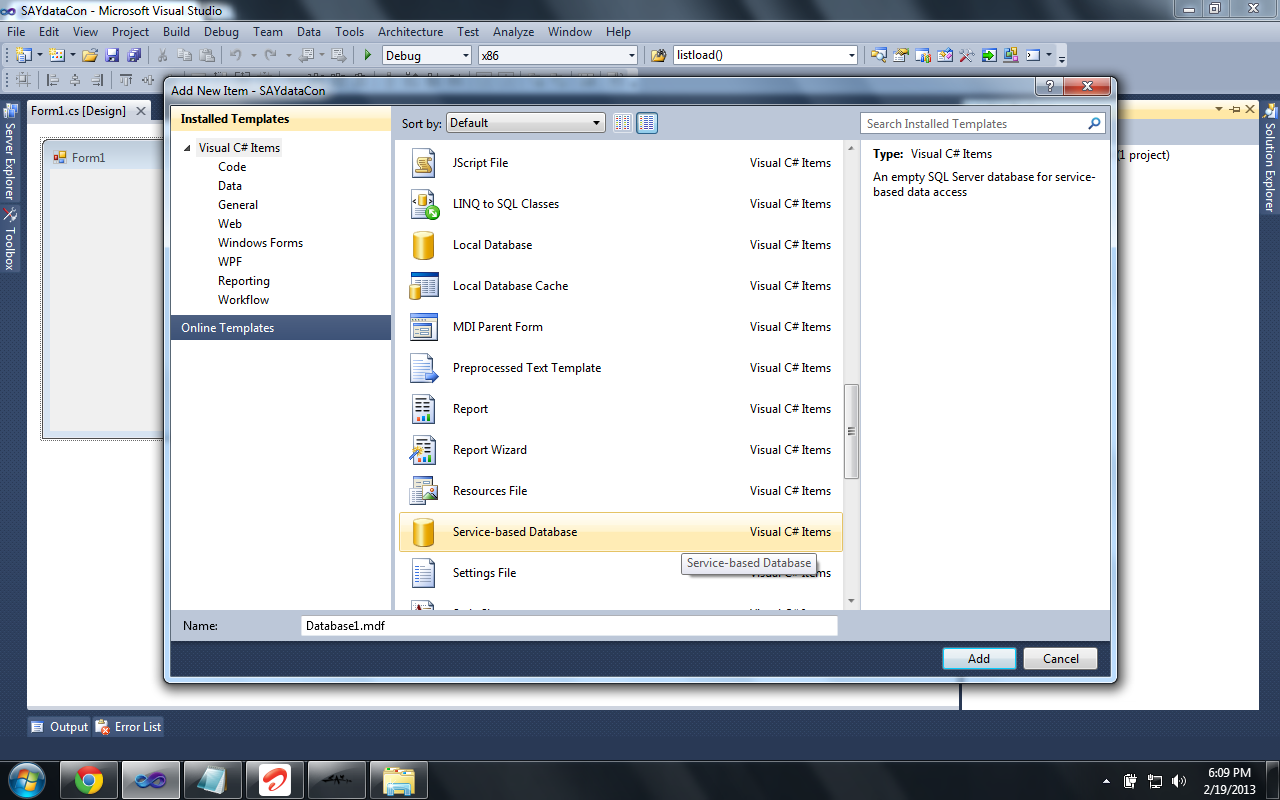
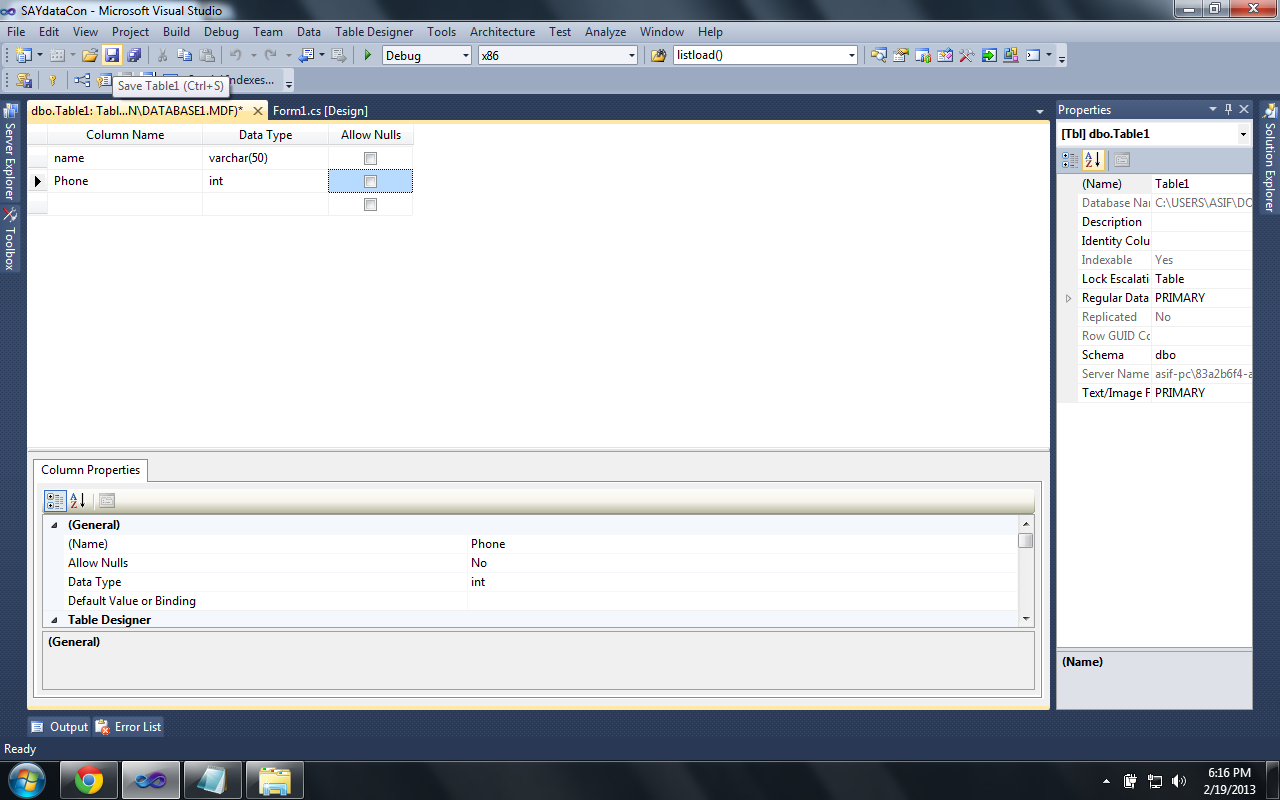
Step 2:


step 2

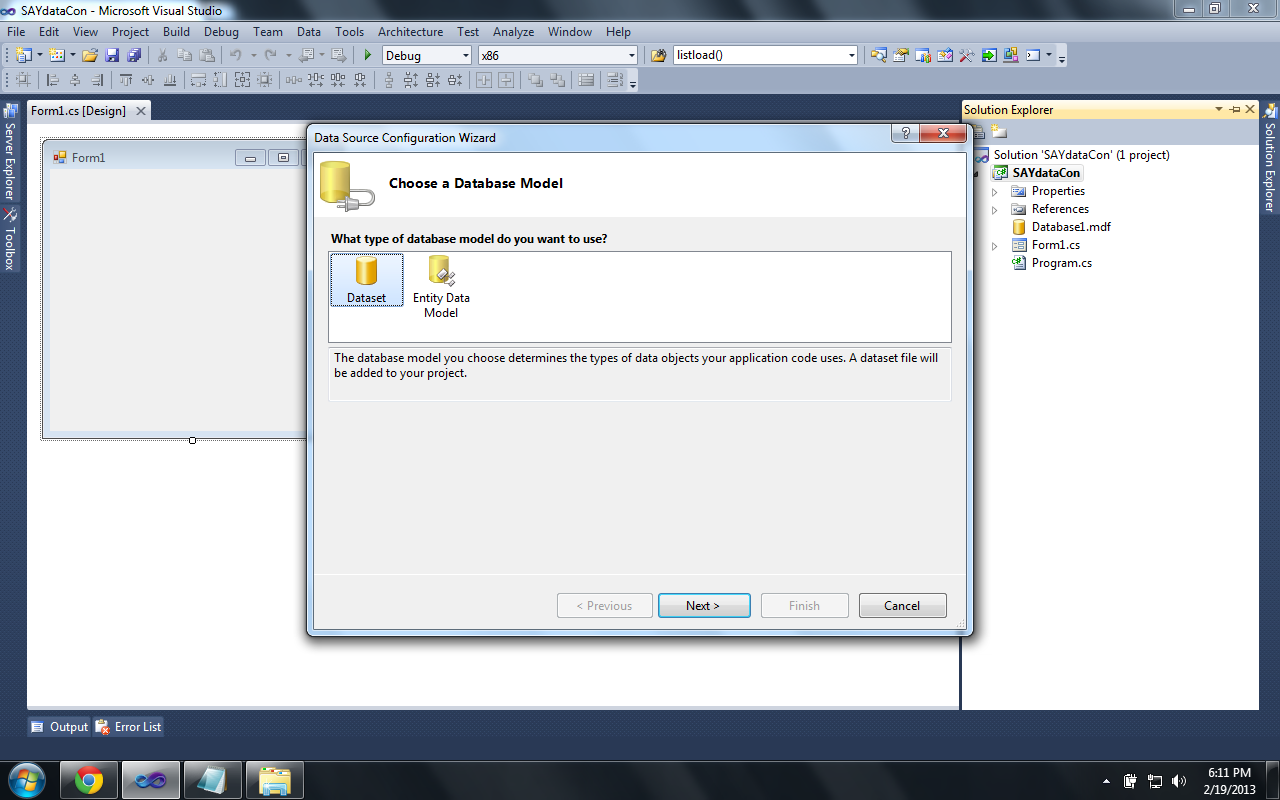
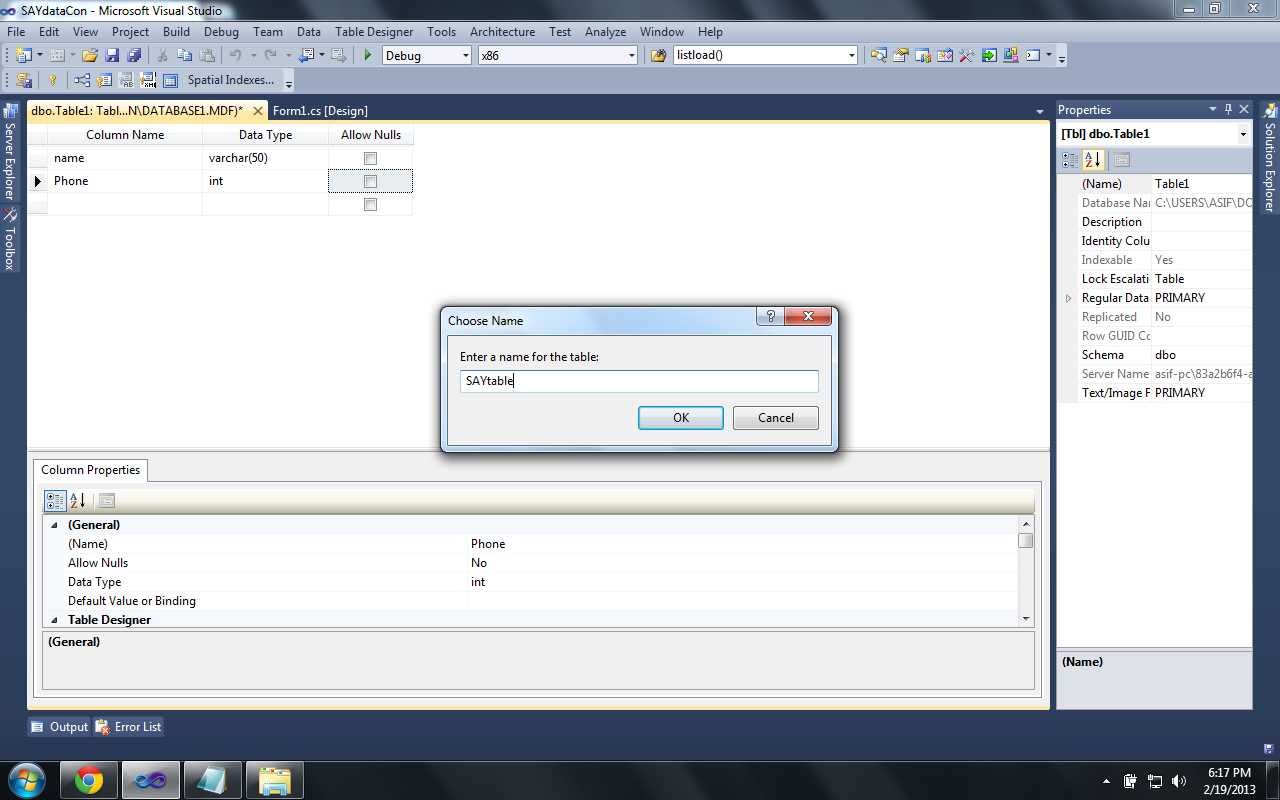
Step 3:


step 3

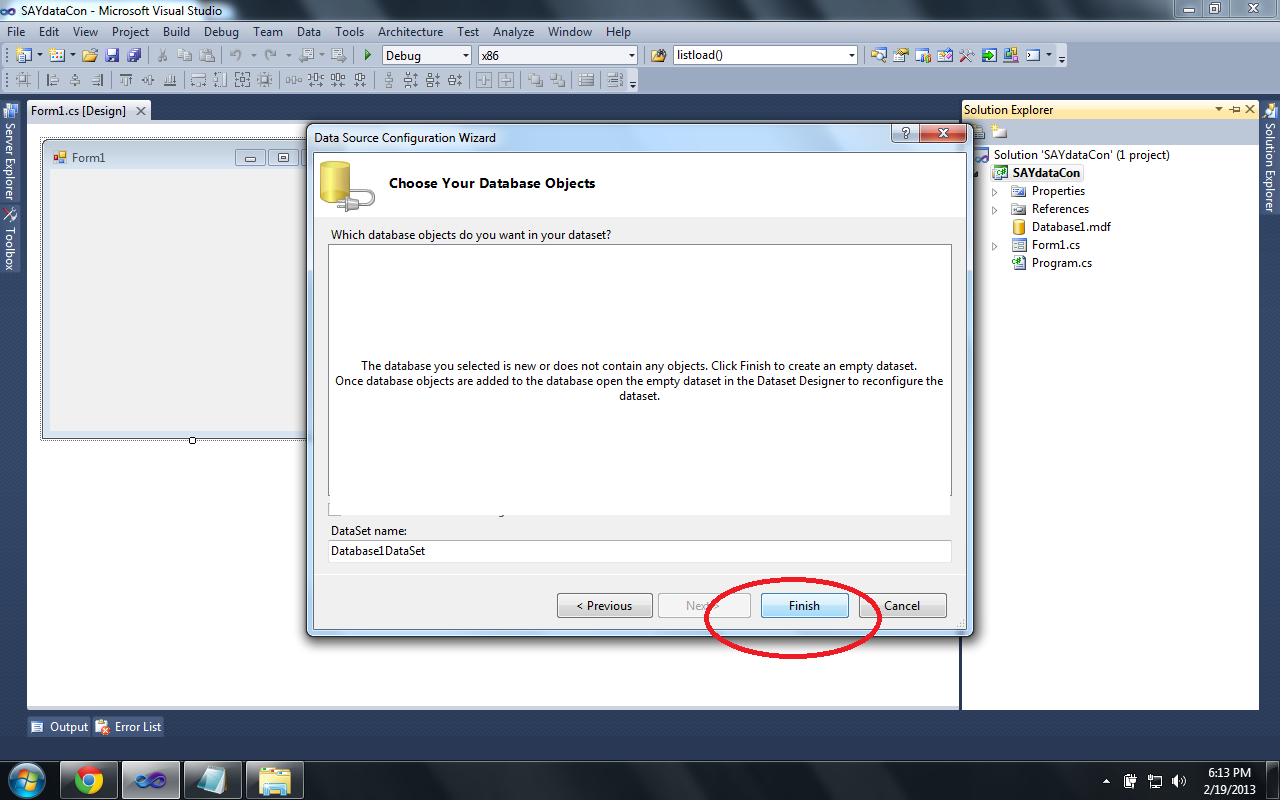
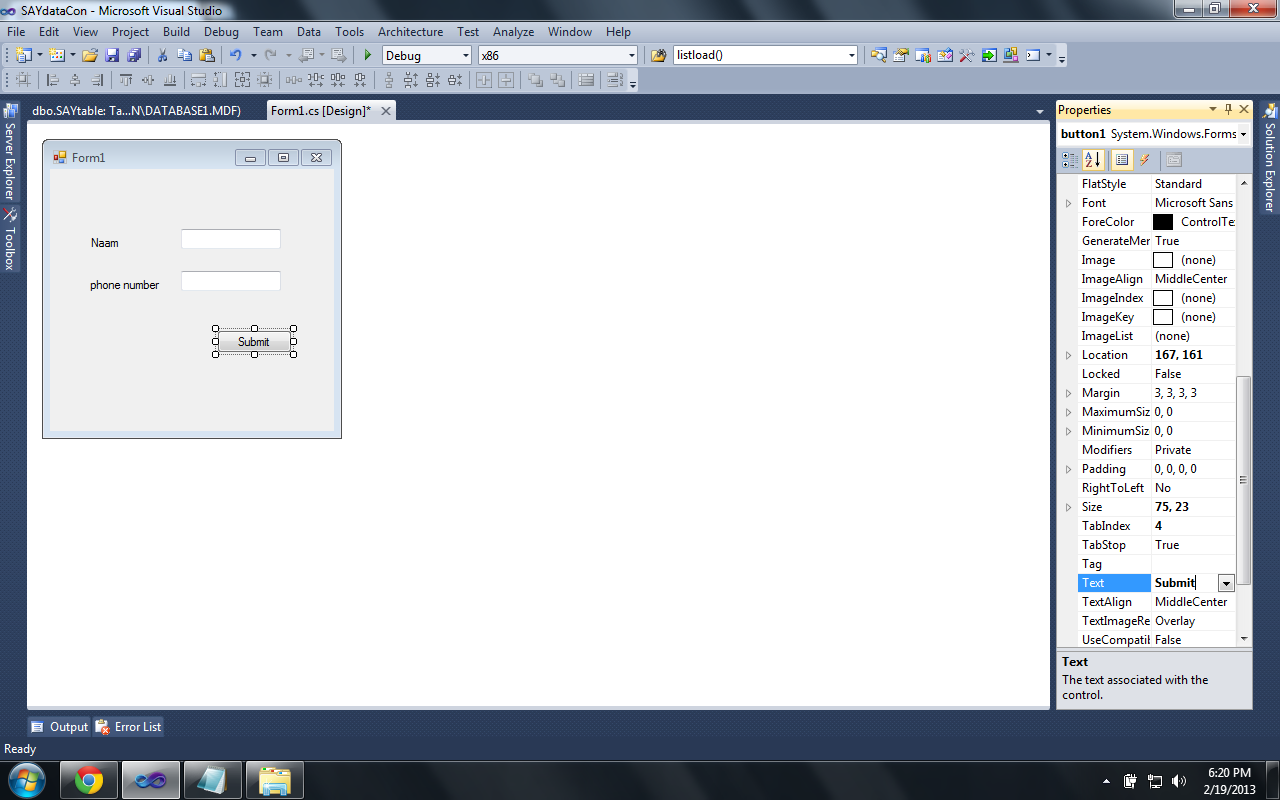
Step 4:


step 4

Step 5:


step 5

Step 6:


step 6

Step 7:


step 7

Step 8:


step 8

Step 9:


step 9

Step 10:

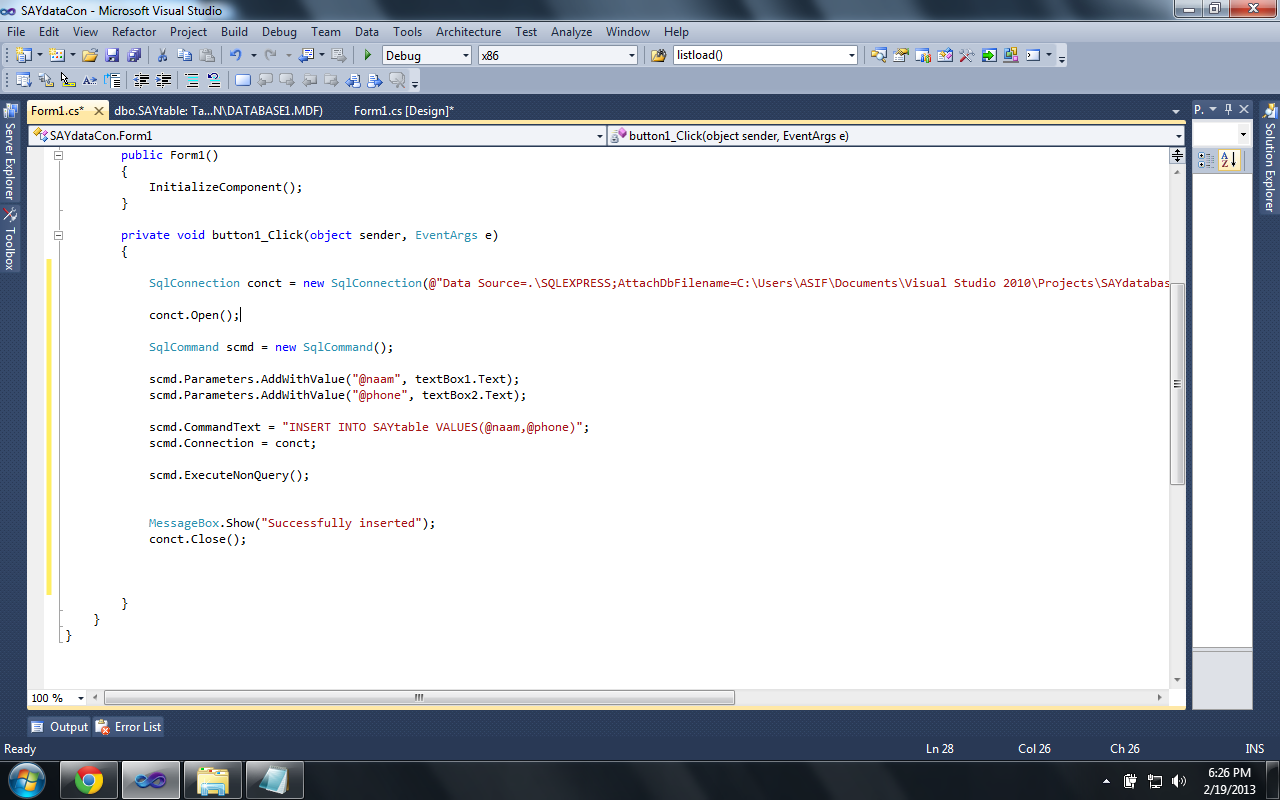
Double Click On Button And Write the Following Code In the Button Click Section


step 10

private void button1_Click(object sender, EventArgs e)

        {

            SqlConnection conct = new SqlConnection(@" _____see STEP 13_paste the connection string here _____");

            conct.Open();

            SqlCommand scmd = new SqlCommand();


            scmd.Parameters.AddWithValue("@naam", textBox1.Text);

            scmd.Parameters.AddWithValue("@phone", textBox2.Text);

            scmd.CommandText = "INSERT INTO SAYtable VALUES(@naam,@phone)";

            scmd.Connection = conct;

            scmd.ExecuteNonQuery();

            MessageBox.Show("Successfully inserted");

            conct.Close();        


        }
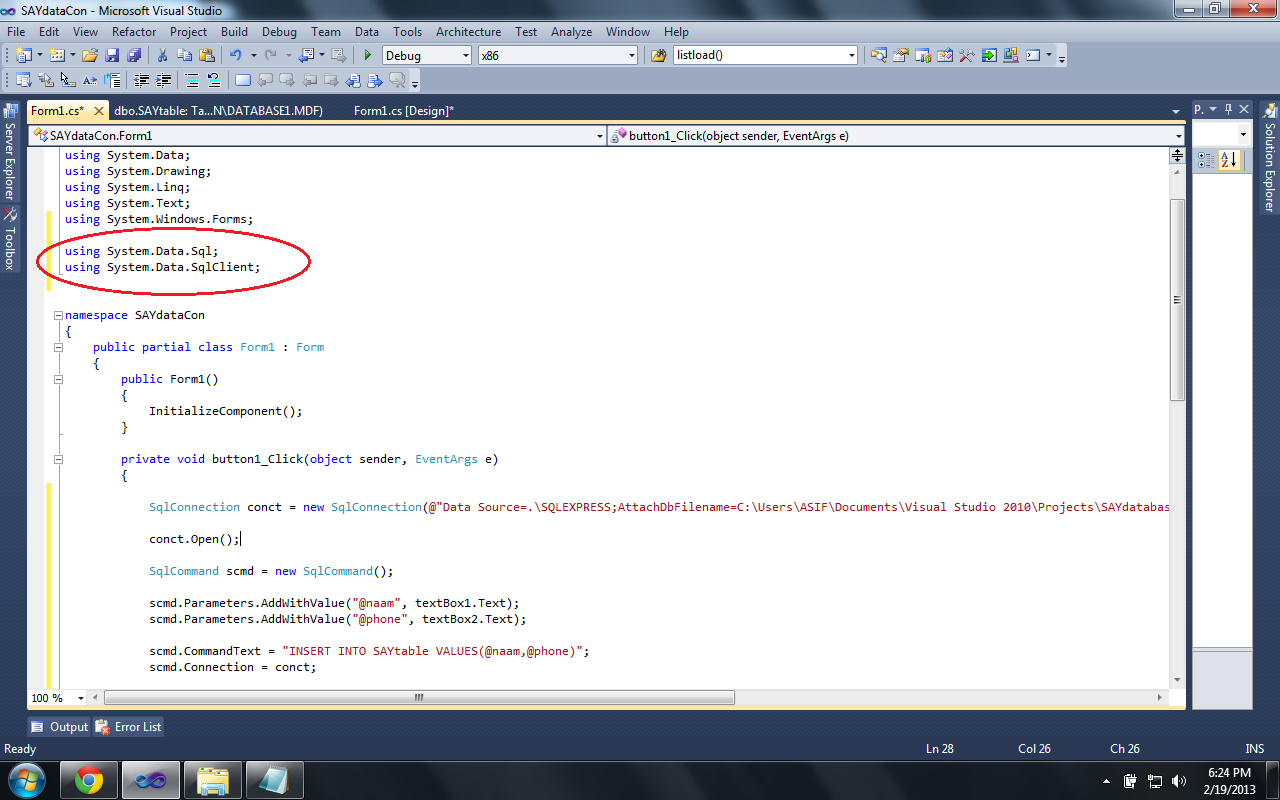

Step 11:


step 11

Step 12:


step 12

Step 13:


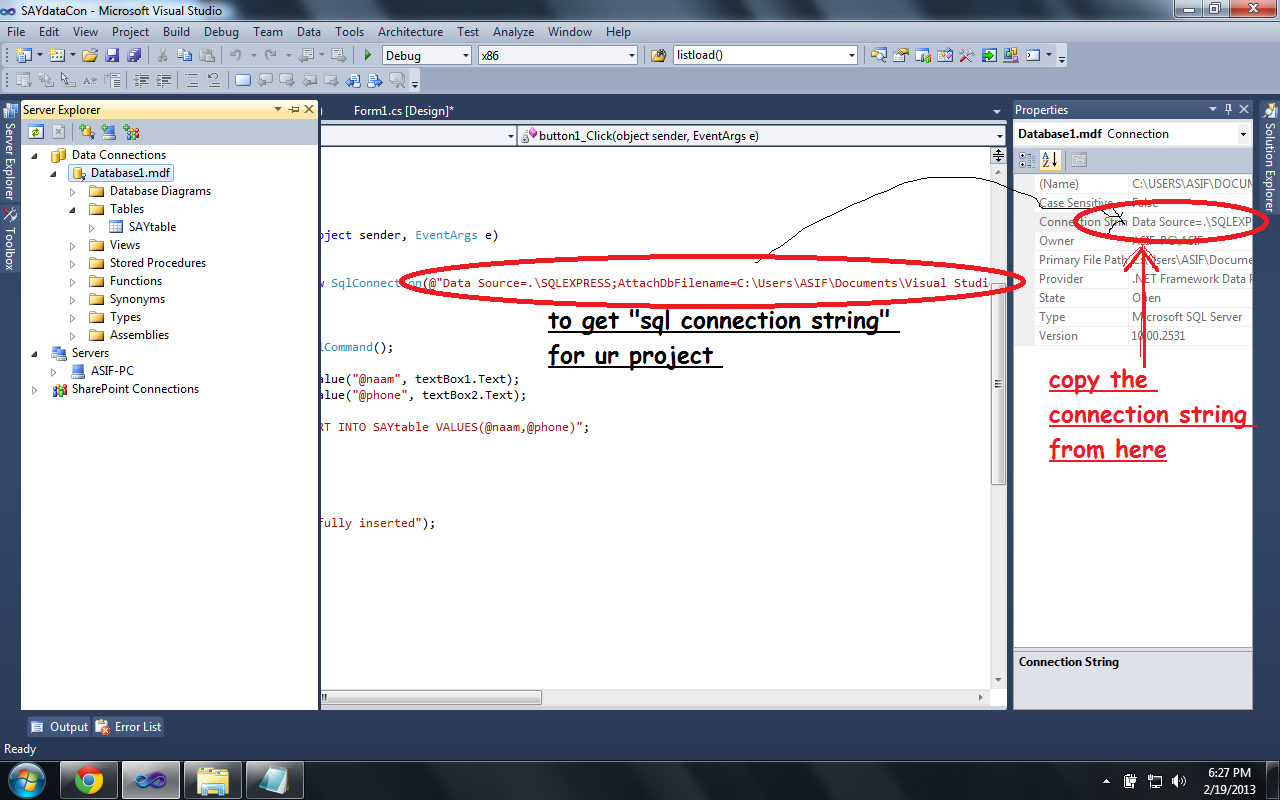
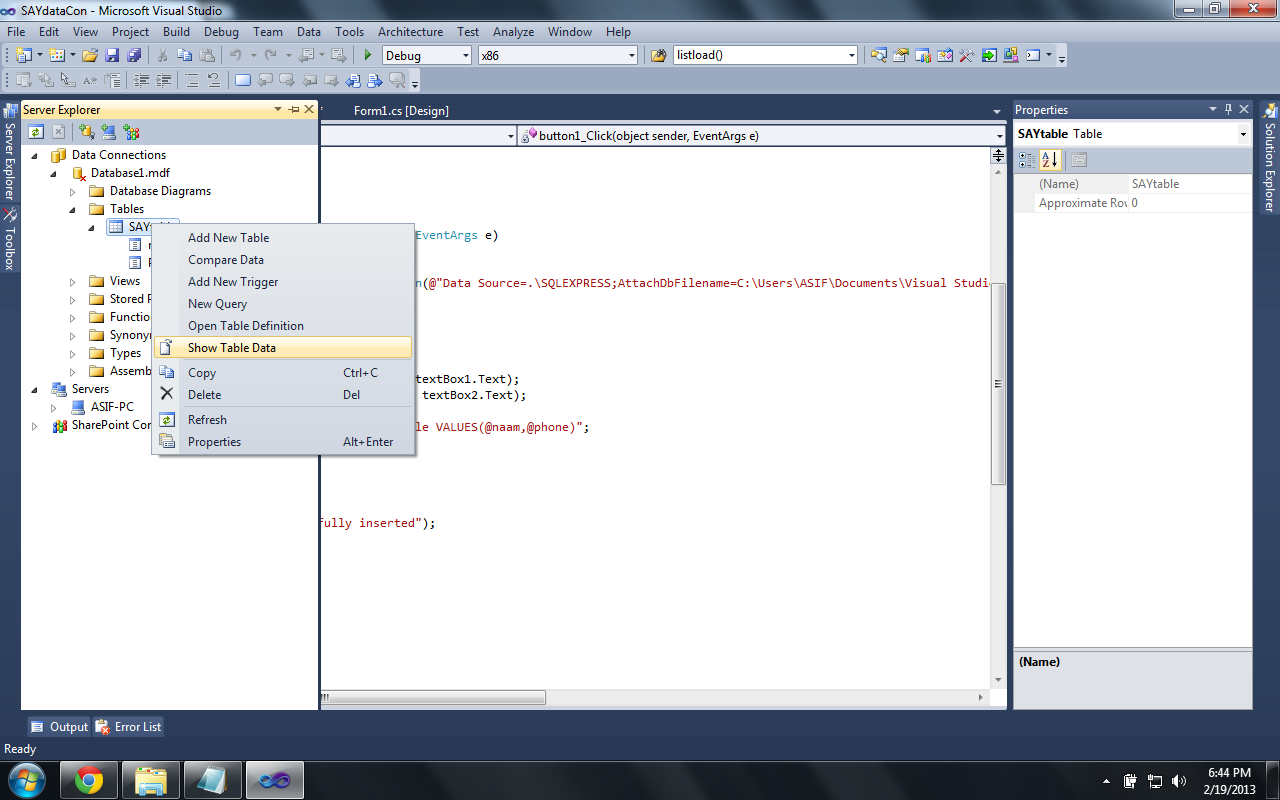
Right Click On the Database.mdf file And Select Property there U can Get the Connection String For SQLconnection
step 13

Step 14:


step 14

Step 15:


step 15

Step 16:


step 16

Step 17:


step 17